


Why caravan monitoring is worthwhile
Caravans (travel trailers) typically stand still much longer than they’re actually used. A caravan that’s moved 20 times a year still sits in storage for the other 345 days. Combine that with the value of the trailer and its contents and good caravan monitoring quickly pays for itself — ideally together with a caravan alarm system. Specifically, it gives you:
- Reassurance during long absences — even abroad.
- Documented evidence in case of damage or theft.
- Early warning if anyone is fiddling with the caravan.
- An overview of battery and storage conditions through the daily status email.
What you should monitor in a caravan
Modern caravan monitoring follows a simple principle: detect what matters, ignore what doesn’t. CampSecure™ focuses on the four signals that say the most about a caravan’s situation:
1. Motion and vibration
The phone’s accelerometer and gyroscope detect when the caravan is being moved or tilted — for example because it’s being hitched up, jacked up or rocked. Motion sensitivity is adjustable from 0 to 10 (default 5). 0 activates house mode and disables motion alerts — useful when the caravan is parked on stands long-term.
2. Ambient sound
The microphone listens for sounds in or around the caravan: someone forcing a lock, smashing a window or moving valuables around. Sound sensitivity is adjustable from 1 to 10 (default 5) — lower for noisy locations, higher for quiet pitches.
3. Photo evidence
On every alarm, CampSecure™ takes a photo with the configured camera (front or rear, default front). The picture is attached to the alarm email — within seconds you can see what happened.
4. GPS location and battery
The alarm email contains the current GPS coordinates and a direct Google Maps link, plus the phone’s current battery level. The daily status email reports the same data once a day, even when nothing has happened — perfect for long-term storage.
How caravan monitoring with CampSecure™ works
The combination of sensors only works if the data is processed cleanly. CampSecure™ evaluates the signals locally on the phone, takes the photo on the device and sends an email through your existing email account.
What happens during an alarm
- A sensor (motion, sound, light) crosses its configured threshold.
- The alarm delay (1–60 seconds, default 10) starts running, allowing you to disarm — if appropriate.
- If the alarm wasn’t cancelled in time, the camera takes a fresh photo and GPS captures a one-shot location.
- An email is built with photo, GPS coordinates, Google Maps link, battery level and device name.
- The email is sent through your SMTP server.
- The internal alarm log inside the app records every event for transparency.
CampSecure™ monitoring features at a glance
Below is the complete list of monitoring-related functions, written in a way that lets you check before you download whether your scenario is covered. All values are documented in detail in the user guide, section 5.
| Feature | Value / range | Use case |
|---|---|---|
| Motion sensitivity | 0–10 (default 5; 0 = house mode) | Adapt to vehicle vs. fixed location |
| Sound sensitivity | 1–10 (default 5) | Filters background noise |
| Alarm delay | 1–60 seconds (default 10) | Time to disarm without false alarms |
| Battery warning | 5–50 % (default 30 %) | Power problems noticed in time |
| Light threshold (auto flash) | 5–50 lux (default 20) | Camera flash only triggers when it’s dark |
| Daily status | Hour 0–23 + minute 0–59 (default 08:00) | Daily “all is fine” email |
| Camera selection | Front (default) or rear | Adapt to phone’s mounting position |
| Whitelist | One or more email addresses | Only authorised senders can issue commands |
| PIN | 4 digits (0000 = off) | Extra protection for email remote control |
Sample setups for caravan monitoring
Scenario A — Quiet pitch, in use during your holiday
- Motion sensitivity: 3–4 (gentle, copes with movement during cooking, kids etc.)
- Sound sensitivity: 3–4 (filters typical campsite noise)
- Alarm delay: 15 seconds
- Battery warning: 30 %
- Daily status: 08:00
Scenario B — Busy campsite in peak season
- Motion sensitivity: 2–3
- Sound sensitivity: 2–3 (avoid alarms from neighbours)
- Alarm delay: 20 seconds (you’re often coming back with bags)
- Battery warning: 40 %
- Daily status: 09:00
Scenario C — Seasonal pitch / long stay
- Motion sensitivity: 1–2 (very low; pitch is usually quiet)
- Sound sensitivity: 4–6 (sensitive to break-in noise)
- Alarm delay: 10 seconds
- Battery warning: 30 %
- Daily status: 07:00
Scenario D — Winter storage
- Motion sensitivity: 0 (house mode — caravan is on stands)
- Sound sensitivity: 5–7 (sensitive to forced entry)
- Alarm delay: 10 seconds
- Battery warning: 30 % (with permanent power supply)
- Daily status: 08:00
Start monitoring your caravan today
Install the app, repurpose an old Android phone and turn your caravan into a smart, monitored space.
Installation and operation in 7 steps
Setup takes about 10 minutes. A detailed step-by-step is in the user guide, section 2.
- Install the app on an Android phone (Android 10 or later, at least 3 GB RAM).
- Grant permissions — camera, microphone, location, notifications.
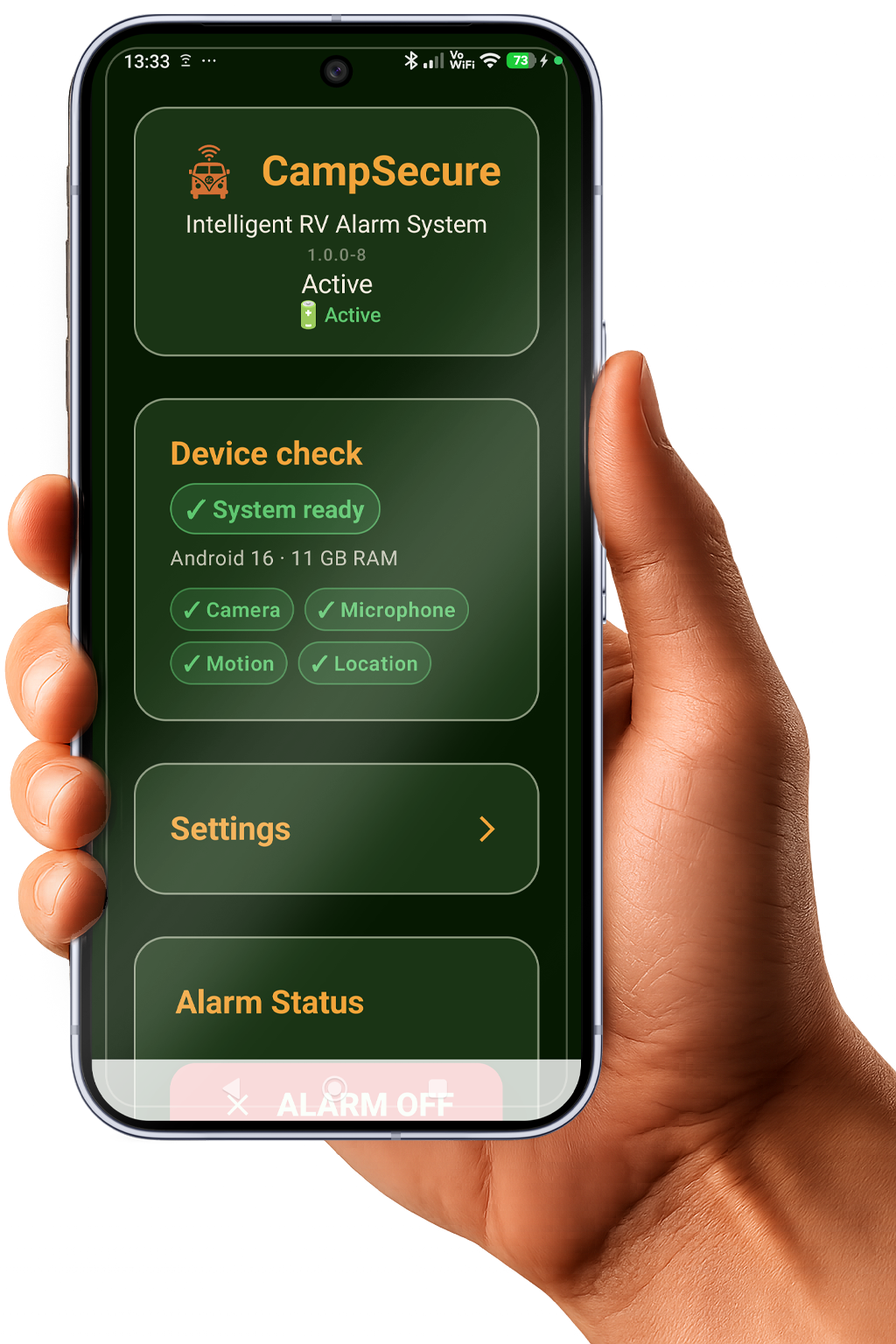
- Wait for the device check and continue only on green status: “System ready”.
- Disable battery optimisation — set CampSecure™ to “Not optimised”.
- Enter email details — SMTP for outgoing, IMAP for remote control.
- Adjust sensors — motion, sound, alarm delay, daily status to the scenarios above.
- Mount the phone with a clear view to the door, close the caravan, arm the alarm.
FAQ — Caravan monitoring
Smart caravan monitoring — start today
With CampSecure™ you turn an Android phone into a complete monitoring station for your caravan. Caravan monitoring done simply — by email, on any phone.
Disclaimer: CampSecure™ helps you monitor your property and alerts you to suspicious events. As with any technical solution, power supply, mobile signal, internet connection or device settings may affect operation. No guarantee can be given for the detection, triggering or delivery of every individual alarm.